Guard Locking Safety Switch: When Do You Need One?
- Share
- publisher
- DADISICK Technical Team
- Issue Time
- Sep 3,2026
Summary
Not every safety door needs a lock — but some absolutely must stay shut until the machine is truly safe. This guide explains what a guard locking safety switch is, how power-to-lock and power-to-release modes differ, and the key scenarios where a lock is mandatory rather than optional. Learn the decision criteria and explore DADISICK's guard locking interlock lineup for machine guarding.
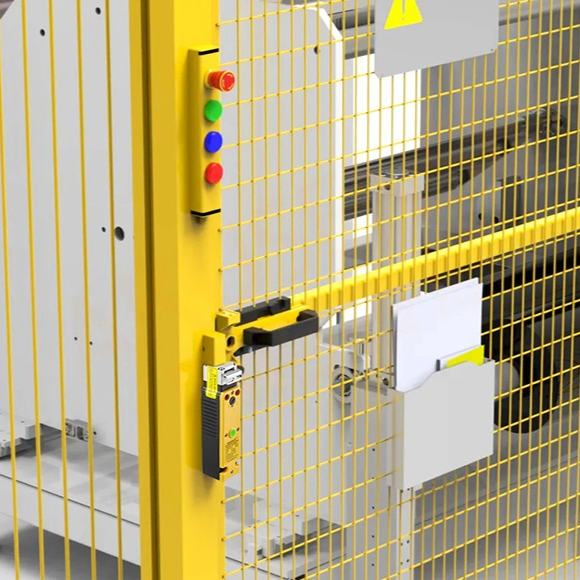
A guard locking safety switch does two jobs at once. Like any safety interlock switch, it detects whether a guard door is open or closed. But it also physically locks the door shut, so it cannot be opened while hazardous motion or stored energy is still present. This single difference is what separates "monitoring" from "enforcing" safety. A non-locking safety door switch only reports the door state. When the guard opens, the machine stops — but nothing prevents a worker from opening the door a moment too early. A locking switch holds the door closed until the controller confirms the machine has reached a safe state. For a full comparison of these types, see our guide on choosing the right safety door switch. Guard locking switches fall into two main modes, and the choice is safety-critical: We break down both operating modes in detail in our article on adding a safety lock to industrial production. Ask yourself three questions about the guarded hazard: Once you have confirmed a lock is needed, match the hardware to your risk level and environment: Browse DADISICK's full safety switch range to find locking interlocks, non-contact RFID switches, and more for your machine guarding needs. A guard locking safety switch turns a passive door sensor into an active barrier. The moment your machine keeps moving, stores energy, or invites human access during the danger window, a lock stops being a nice-to-have. Match the locking mode, contact count, and locking force to your risk assessment — and your guarding will do more than monitor safety. It will enforce it.What Is a Guard Locking Safety Switch?
Locking vs. Non-Locking: The Core Difference
Two Locking Modes: Power-to-Lock vs. Power-to-Release
Locking Mode How It Works On Power Loss Best For Power-to-lock The door is unlocked by default and only energizes to lock during hazardous motion. The door unlocks, allowing emergency exit. Machines with short stopping times Power-to-release The door stays locked by default and releases only when it is safe. The door remains locked (fail-safe). High-inertia machinery that keeps moving after power is cut When Do You Actually Need a Lock?
Choosing the Right Guard Locking Switch
Conclusion